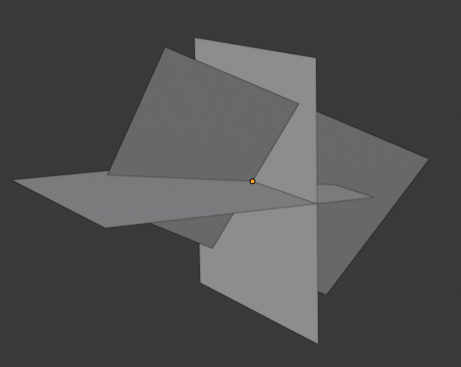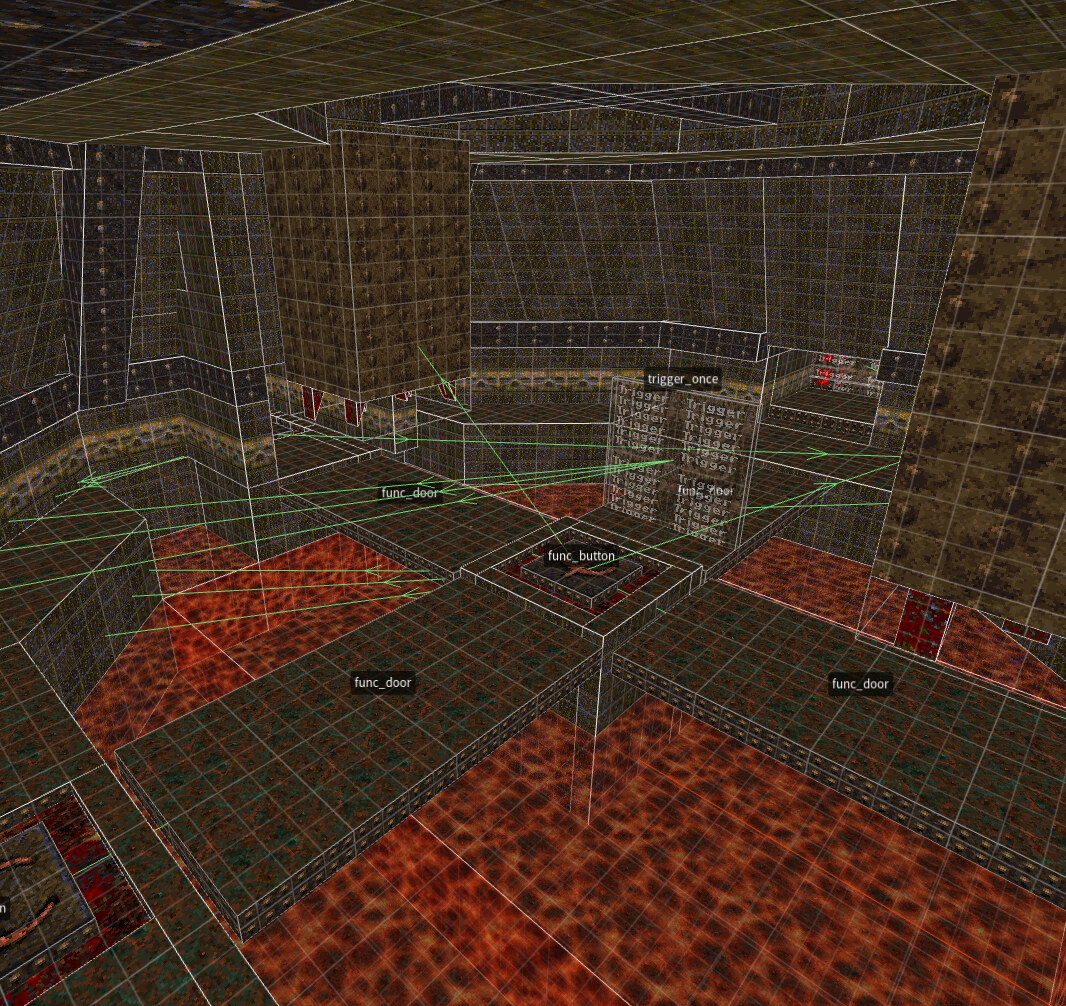
By: Justin Meiners
07/20/2022
The Quake engine provided the foundation for many early 3D games, including contributions to hit titles like Half-Life, Call of Duty, and Star Wars Jedi Knight II: Jedi Outcast. But its influence on 3D technology runs much deeper than source code. An entire generation of developers and modders was introduced to making 3D games through Quake, and the concepts it introduced can be found throughout game technology today.
Most of what’s been written about the Quake engine focuses on 3D graphics or multiplayer. And it’s hard to overstate just how many brilliant innovations the team came up with during its relatively brief development. (See Michael Abrash’s first-hand account, Fabien Sanglard’s code reviews, and, more recently, the excellent videos from Matt’s Ramblings.)
But much overlooked is the innovative Quake entity system which enables designers to craft interactive levels without writing custom code. Of particular interest is its similarity in design to UNIX. Both systems provide simple computational building blocks and a language (known as a shell) for combining them in complex ways. This system is modular for extension and is also emergent, enabling new gameplay not anticipated by the original engineers.
This article provides a brief introduction to how the system works, identifies several creative case studies from Quake, and discusses the parallels with UNIX design.
We will start by describing the interface for the engine, the .map file format.
This is a text format describing a level.
It will undergo several offline compilation steps before being loaded into the game runtime,
but ultimately represents the features the engine provides to designers.
Every object in the Quake world is called an entity.
An entity is a list of key-value properties.
All entities have a property, classname, which specifies the entity’s kind.
The following specifies where the player will spawn in 3D space:
{
    "spawnflags" "0"
    "classname" "info_player_start"
    "origin" "32 32 24"
}
The meaning of a key, and whether it is applicable, is determined entirely by the classname.
Many keys are common across a family of entity types, like spawnflags.
Some keys are only useful for a particular class.
For example, the light key configures brightness and applies only to the light class:
{
    "light" "250"
    "origin" "480 96 168"
    "classname" "light"
}
A .map file consists of one or more entities concatenated together.
All aspects of a level, including lighting, interactive objects, and scenery, are described as entities.
Thus a map editor is basically a tool for placing entities and modifying their properties.
Let’s introduce the common entity structures.
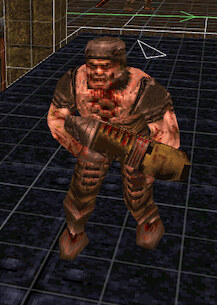
Point entities have a 3D position, specified by the origin property.
For example, a monster:
or a weapon pickup:
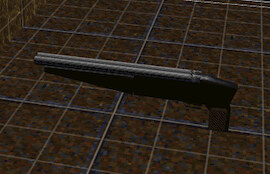
Point entities are typically visualized as a 3D mesh.
Some, like light, are nonvisual at runtime and are depicted in the editor as icons.
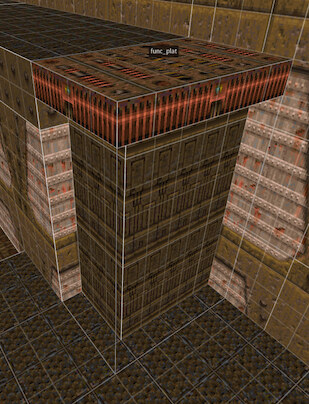
Solid entities are represented by a 3D volume. This volume is constructed from convex brushes which will be discussed later.
A moving platform is an example of a solid entity:
and so is a button:
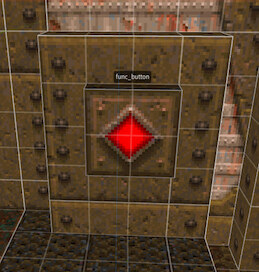
Solid entities do not share a visual representation. The shape and size of each instance is customized for each use case.
Entities that are loaded into the game all use the same entity data structure1.
This provides a uniform interface
for communicating between entities and for systems to inspect them.
So far, .map is elegant, but doesn’t appear very special.
Every game has objects that need to be placed in the world,
and it’s helpful to make their properties configurable.
What else would you do?!
And many games have been successfully built
by creating different entity types for all interactive objects in the game.
Instead, Quake adds a powerful way to combine entities.
It does this through a property called targetname.
This gives an entity a name that other entities can reference
in one of their *target properties.
For example, target means:
“When I am activated, find all the entities with a
targetnamematching mytargetand activate them.”
A targetname is not unique, so multiple entities can respond to the same action.
“Activate” is used loosely, as the exact meaning is determined by the type of entity. What’s essential is that relationships between entities can be created in the map editor. Using this system, a designer can set up novel interactive gameplay in each level without custom programming.
Let’s look at a few introductory examples.
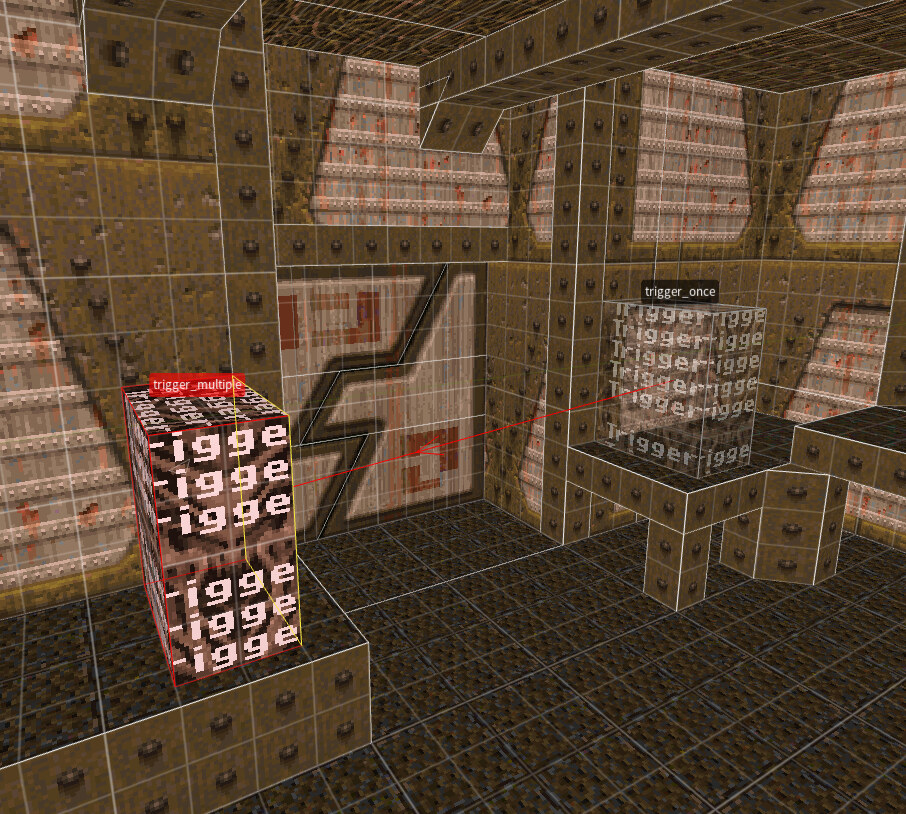
The trigger on the left fires when the player touches it, with a wait time of five seconds
before reactivating. When activated, it displays a message and plays a sound:
{
    "classname" "trigger_multiple"
    "message" "You can jump across..."
    "sounds" "2"
    "targetname" "t32"
    "wait" "5"
}
Across the gap is another trigger which fires and is removed when the player touches it.
This uses killtarget to also delete the previous entity.
{
    "classname" "trigger_once"
    "killtarget" "t32"
}
The intent is to teach the player how to make their first jump. After their ability to do so has been demonstrated, the message is removed.
Let’s look at a very different example where targetname is used to represent
a logical linkage rather than an activation or event.
Here, a path is specified for a monster to patrol until it is aggravated by the player:
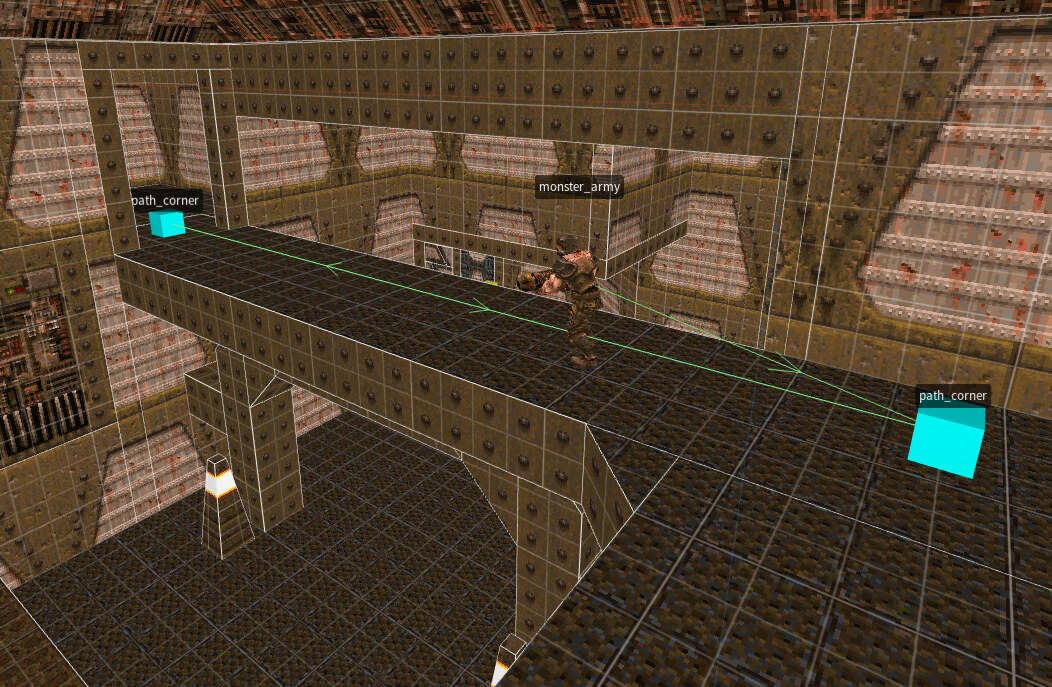
A path is constructed from a sequence of path_corner entities.
Each has a targetname and a target referring to the next node in the path.
The target of the monster is set to the first node in the path.
{
    "classname" "path_corner"
    "origin" "-560 2352 40"
    "targetname" "t23"
    "target" "t24"
}

{
    "classname" "path_corner"
    "origin" "-104 2352 40"
    "targetname" "t24"
    "target" "t23"
}
In this screenshot, the two nodes are linked to each other in a cycle. The monster therefore repeats its walk along the path until aggravated.
This example shows more entities combined to create a larger system. As the player moves down the ramp, several interactions occur.
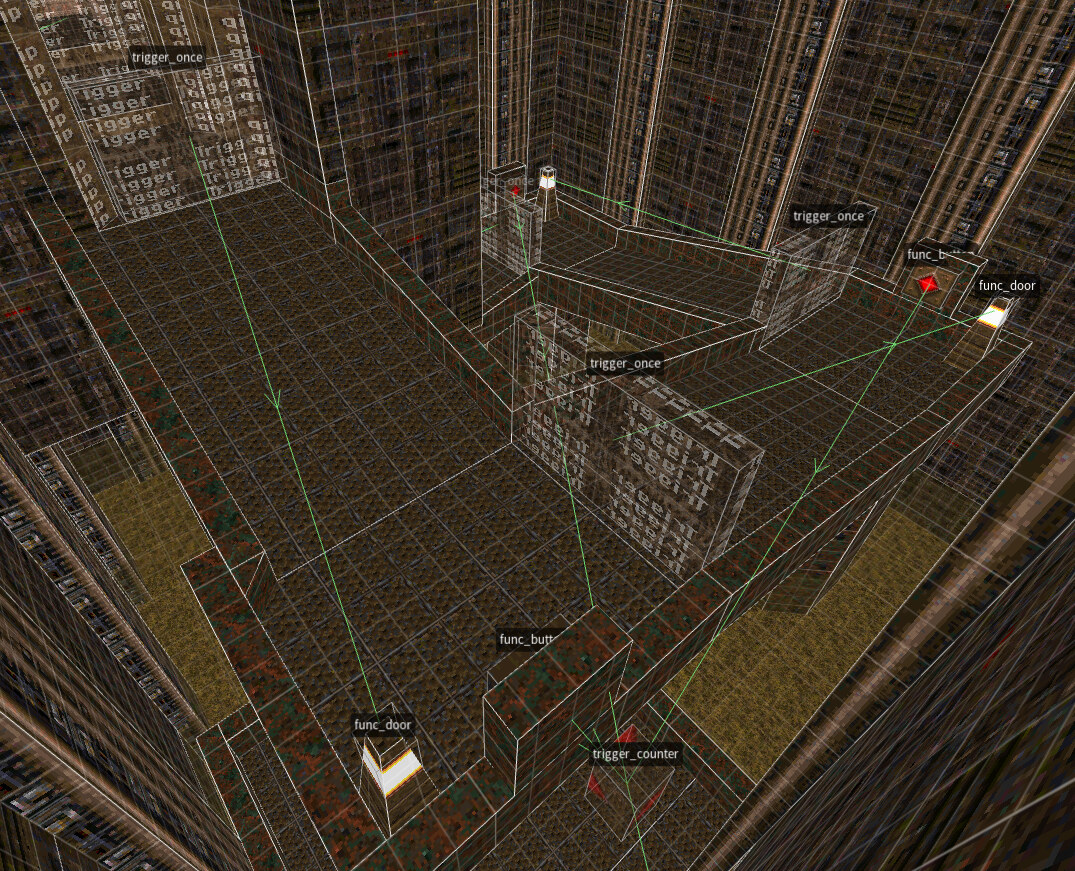
The large trigger_once on the path activates a light farther down the ramp:
{
    "classname" "trigger_once"
    "sounds" "3"
    "target" "t11"
}

{
    "classname" "light"
    "light" "400"
    "origin" "752 2000 -88"
    "spawnflags" "1"
    "targetname" "t11"
}
A func_door is used to pop up a depiction
of the light source. (A “door” is just something that moves back and forth.)
{
    "classname" "func_door"
    "angle" "-1"
    "sounds" "1"
    "spawnflags" "1"
    "targetname" "t11"
}
The light reveals a nearby button.
{
    "classname" "func_button"
    "spawnflags" "2048"
    "target" "t9"
    "wait" "-1"
    "angle" "270"
}
The buttons are wired to a trigger_counter.
After all three buttons are pressed, a door opens below.
{
    "classname" "trigger_counter"
    "count" "3"
    "target" "t10"
    "targetname" "t9"
}
The targetname system is very simple but powerful.
It transforms what would be a property editor into a primitive scripting system,
by providing a means of combination2, one of the essential capabilities of any programming system.
But just linking two objects together, like a door to the switch that opens it, is not enough to constitute scripting.
The breakthrough in Quake is recognizing that the ability to combine behaviors also changes the behaviors that you need to build. Instead of a suite of complex gameplay objects, you really need very simple building blocks that perform fundamental operations. These entities compose well and become reusable, enabling more applications with less code.
For example, func_door isn’t really a door.
It’s an abstract conception of a door in a 3D game.
It’s an object that moves from its resting position
to a neighboring position and perhaps back again.
Its meaning as a door depends on visuals and how it’s configured in a system.
(We’ve already seen a completely different usage above.)
This line of thinking also leads to abstraction. Logical entities like gates, timers, and counters are introduced that enable machines to be built around the simple components.
One of Quake’s contributions is to invent this set of fundamental building blocks for 3D games.
An odd consequence of the targetname scripting system
is that many abstract entities live in 3D space,
but that information is of no use to the game, and is entirely incidental.
trigger_counter is one example of such an abstract entity.
But 3D placement does turn out to have some interesting benefits. Designers naturally place the entities that work together next to each other. So the entities that work together are visually associated. But their layout can also suggest how the machine operates, for example, when entities are placed in a directional sequence or arranged to lead toward an objective.
This provides a mnemonic benefit to designers who can often tell how something works just by looking at it. Similarly, debug tools can show entity systems running in-game.
Here we start to see an analogy with UNIX. The shell is a text-based language that enables interaction with a computer through a command line and allows those same commands to be automated in scripts. The key feature of the shell is that the input and output of entire programs can be routed via pipes. One program can pass its output to be transformed by another.
How the shell works is not similar to Quake, nor is the data it interacts with. But its role is very similar. The introduction of composable programs changed how engineers conceived of programs.3 Instead of a monolithic script for solving a business problem, a program became a single logical operation, usually with just a few hundred lines of code, behind a well-defined input/output interface.
Iterating on this idea produced a core set of programs that
are generally useful across many computer tasks.
These programs do so little that they appear trivial
and useless on first encounter,
without an appreciation of their usage in larger systems.
For example, head returns the first few lines of its input and discards the rest.
tr replaces one character with another.
Combining these and a few more, we can find the 10 most common words in a book4:
tr -cs '[:alpha:]' '\n' < book.txt \
    | tr '[:upper:]' '[:lower:]' \
    | sort \
    | uniq -c \
    | sort -nr \
    | head
In a not dissimilar manner, a file downloader, an HTML converter, and a text editor can be combined to make a web browser.
Both the shell and targetname face a similar critique:
their interfaces are too unstructured,
leading to bugs and excessive reliance on convention.5
Quake lets you link entities together, but it does not guarantee compatibility,
and the semantics of those links are loose.
The UNIX philosophy enables all kinds of economic benefits through modularization. Programs can be thrown away and replaced while the system is preserved. They can be tested and qualified in isolation.
But the primary benefit is emergent applications. Programs can be useful in solving problems never anticipated by their designers6. And old programs that have been used for decades can suddenly be complemented by a new program that gives them new meaning and applications.
The variety and ingenuity of entity creations in Quake and the projects built upon it demonstrate a similar story.
We mentioned that at runtime all entities share the same data structure. UNIX has a similar focus on the concept of a file. It takes what were traditionally very distinct computer systems like data storage, networking, displays, and input devices, and unifies them under one read/write interface.
The benefit both systems enjoy is an elimination of special cases. Programs can be written to manipulate files and can then apply to many use cases. Similarly, Quake enables uniform operations on entities regardless of their type and despite their many behaviors.
UNIX went through decades of iteration to get its core functionality. The entities in Quake are much closer to a first draft of the idea that future games attempt to refine.
One indication of this immaturity is that obviously unrelated functionality is provided by the same entity.
For example, trigger_once can show a message and play a sound.
A hypothetical fix would be to have separate func_sound and func_message entities,
each of which could be activated by the same trigger.
An obvious way in which this increases flexibility and reuse is that a trigger can now play multiple sounds, and each entity that plays sound doesn’t duplicate that work. This specific correction was made in Valve’s Source Engine.7
Combining multiple functions is tempting for convenience, but weakens the modularization benefits of the core design. This flaw can also be seen in immature UNIX systems. Programs gradually expand with flags to modify program functionality, often with viral impact.8 Eventually, this leads to a clarification of responsibilities and a split into separate parts.
So far we’ve focused on the interactive and logical capabilities of entities. Let’s now look at how entities construct the levels themselves, including the structure and scenery for the gameplay.
Each map contains exactly one instance of the worldspawn class,
a solid entity that describes the 3D shape of the level.
worldspawn is also a “catch-all” for configuring the general setting and appearance of a level,
such as the ambient level of light.
As established before, a .map file consists only of entities,
and they follow the same basic schema.
But the engine is free to treat them specially.
worldspawn is such an entity with a special role.
The level geometry needs to be preprocessed
into an efficient representation for visibility testing, rendering, and collision.
light entities are also closely related to worldspawn.
High-quality lighting data is precomputed for the level geometry,
so most light entities are removed prior to game runtime.
All of this results in static scenery, a tradeoff necessary to meet performance requirements.
This special treatment is an implementation detail that is hidden from the .map interface.
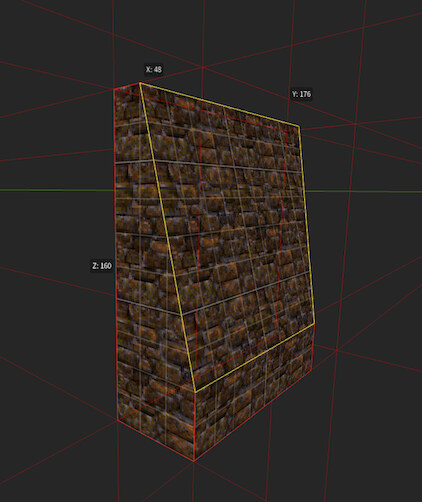
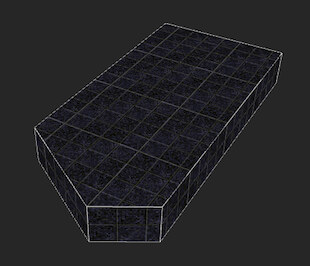
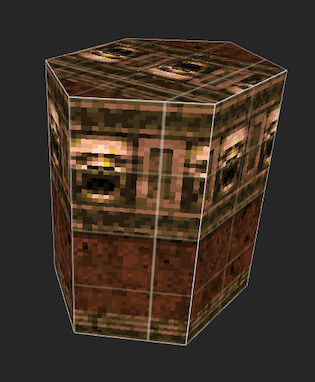
The following explains in detail how the 3D shape of a solid entity is specified. A brush is the enclosed space of four or more planes (“oriented half-spaces” for math folks). For example, a cube is a brush constructed from six planes.9
Each plane is defined by three points lying on it, along with a few texture parameters:
( 256 64 16 ) ( 256 64 0 ) ( 256 0 16 ) mmetal1_2 0 0 0 1 1
Below are a variety of brush shapes from Quake:
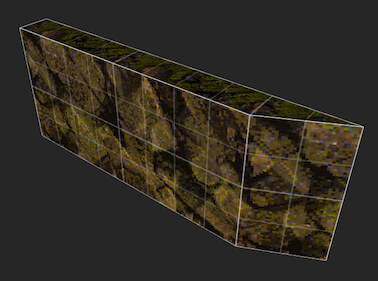
Brushes have a few nice properties:
Brushes can be drawn right in the level editor, so a designer can quickly tailor the shape of an entity or sketch a space.
Brush-based modeling is much less common in games11.
So let’s review a few examples from Quake to understand
how worldspawn works.
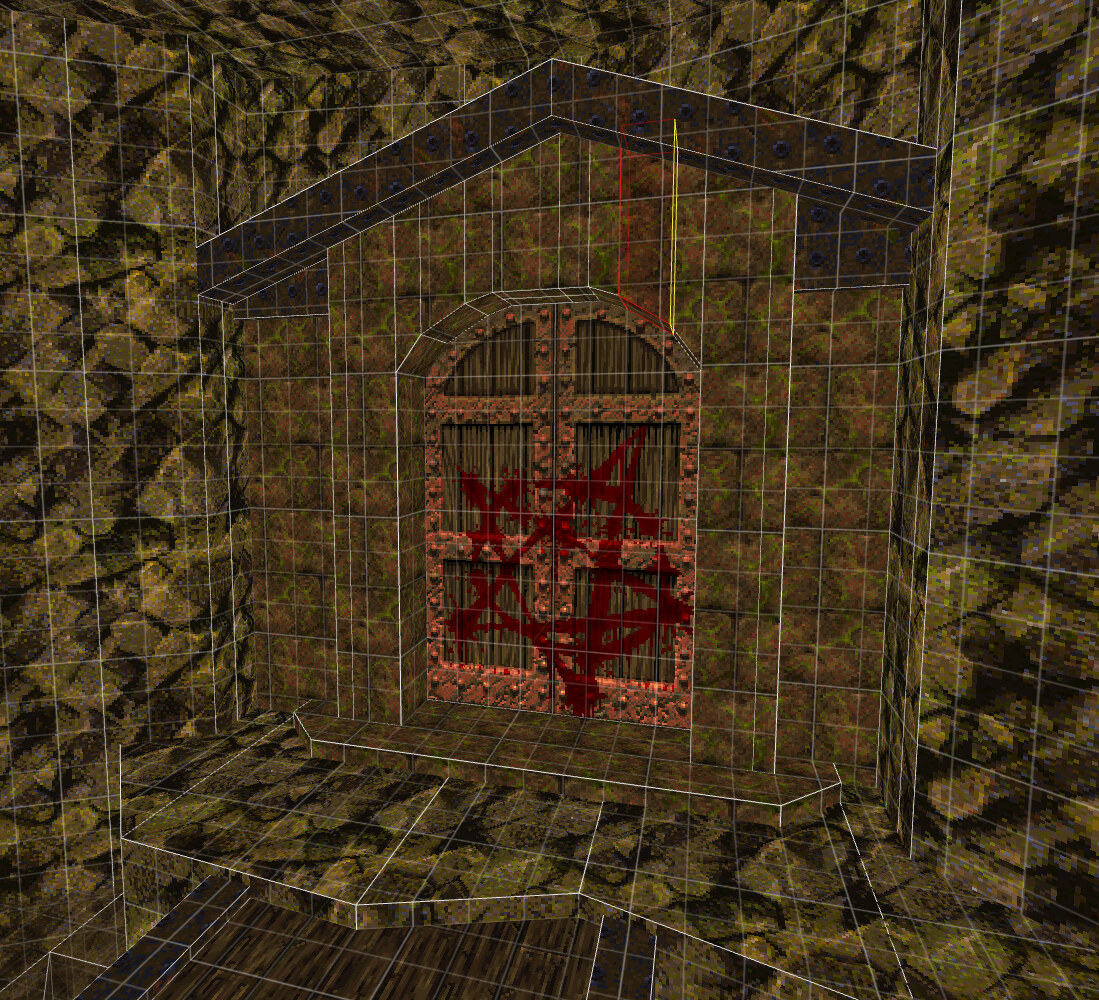
The archway is constructed from wedge slices that linearly approximate a curve. Note the irregular cut to give the ground around the door an organic appearance.
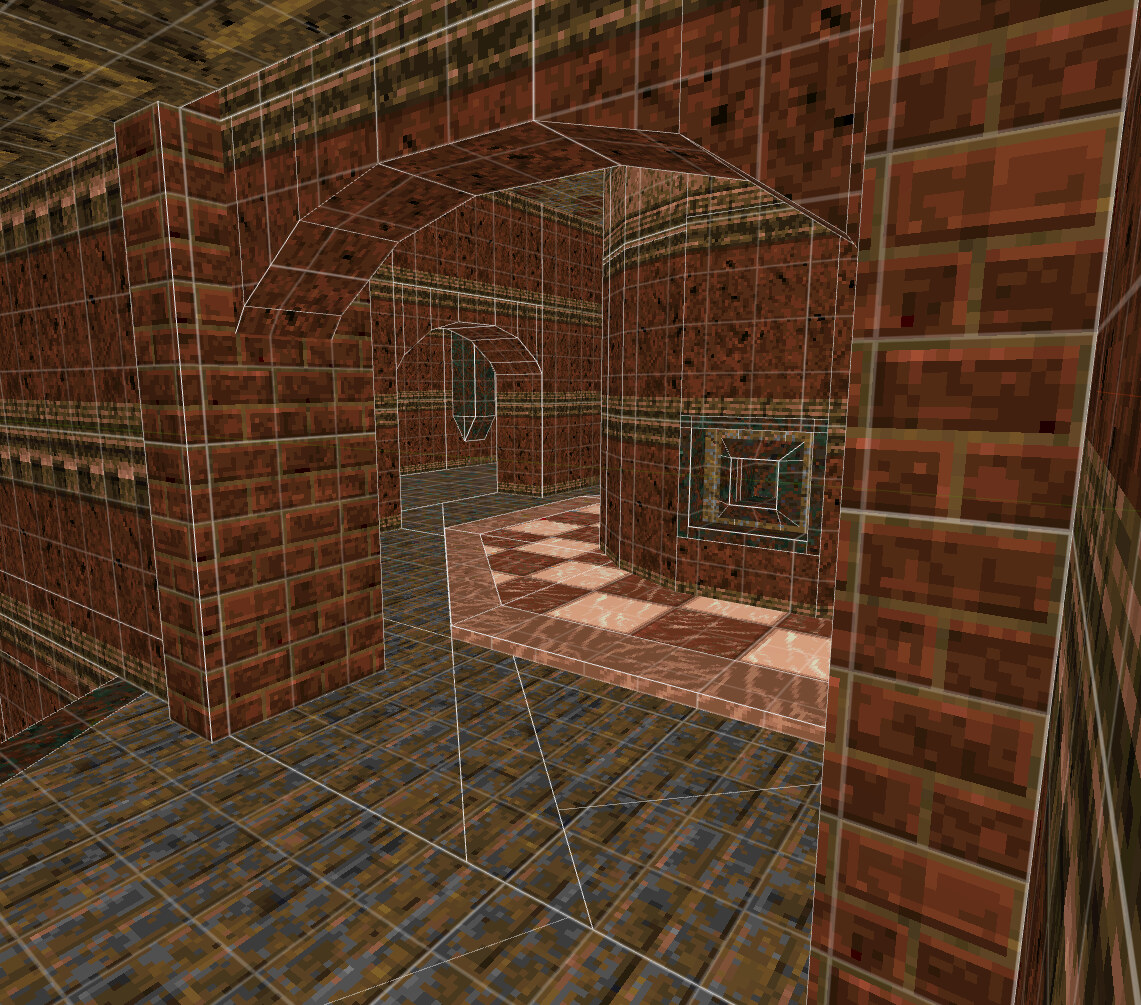
This building makes heavy use of rounded columns and archways. Notice the many shim pieces needed to fill the gaps. The trim pieces around the column give a surface for an alternative texture.
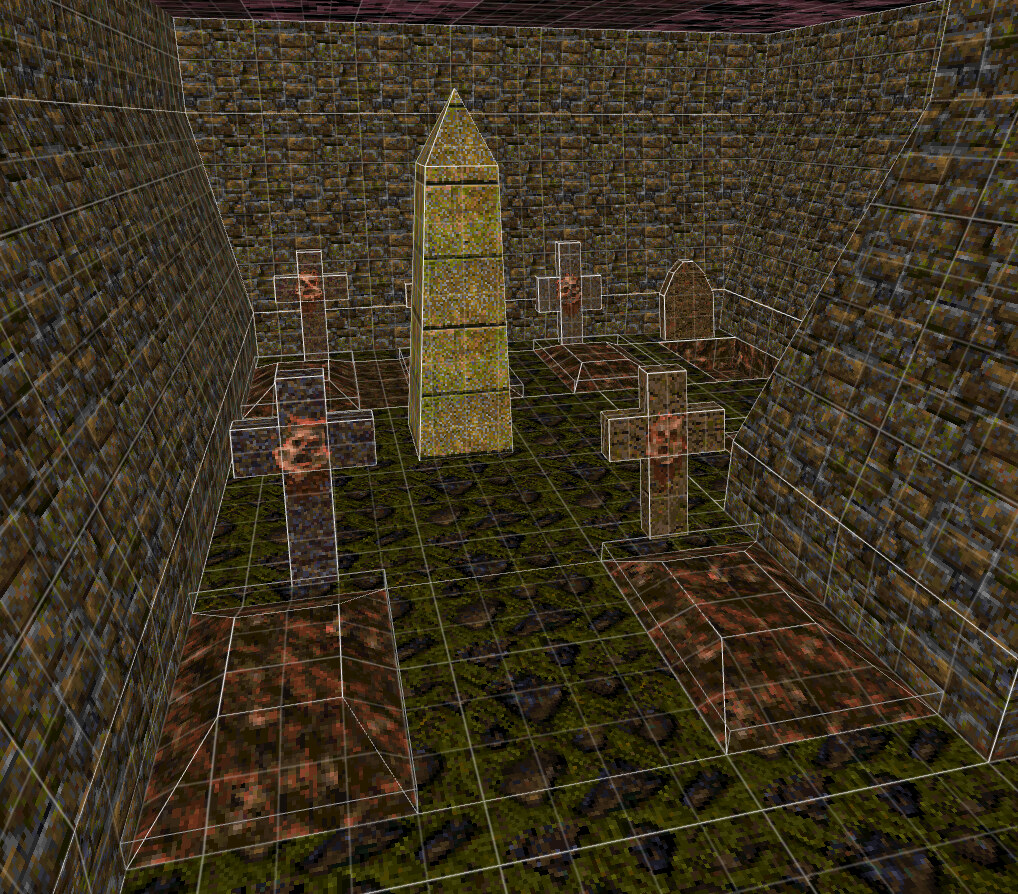
This outdoor area shows brushes being used to model small objects, rather than architecture. The grave bump is also a nice effect that disguises the flat shape of the grass.
Video games rely heavily on visuals, sound, and atmosphere to provide context and meaning for player interactions. The simulation itself can be very crude. What the player experiences as a medieval dungeon filled with knights is understood by the computer as a few boxes in space.
The Quake entity system leverages this idea by separating the behavior of an entity from its visual depiction, like the classical view/model distinction in programming. This enables more reuse of entities and flexibility for designers, rather than combining the behavior and visual representation in one game object.
The first way it does this is through the brush system. Solid entities like doors, buttons, and trains are drawn for each use case with no programmatic functionality changes. So the doors all look different and can take on new shapes.
A few creative entity depictions were already shown.
Here is one more where a func_door pulls apart interlocked bars:
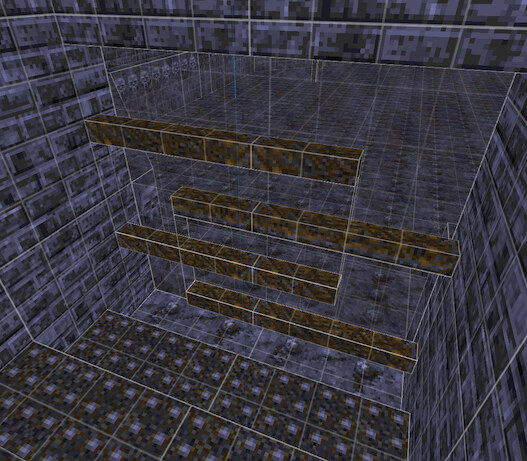
Another way this is done is by simply placing an invisible entity over a visual object, effectively granting it that behavior. Let’s look at a few of these.
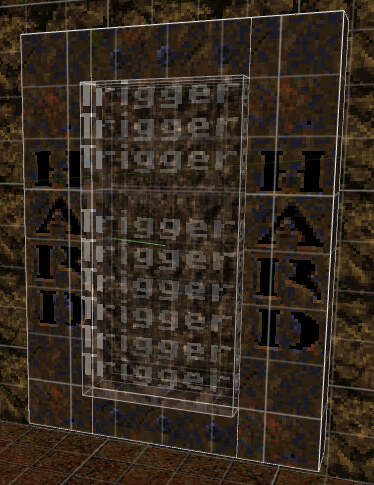
The game difficulty is selected by jumping through a portal12.
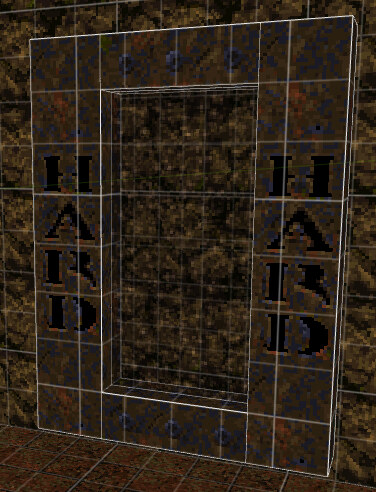
The portal itself is static geometry with an animated center texture.
Placed on top of the model are an invisible trigger to set the difficulty and an invisible teleporter to move the player into the next room. These rest in front of the model.
Near a small pool of water, the game announces, “You found a healing pool!”
The pool is constructed as a plane in the floor with a water texture. But underneath the surface are many health packs that cannot be seen.
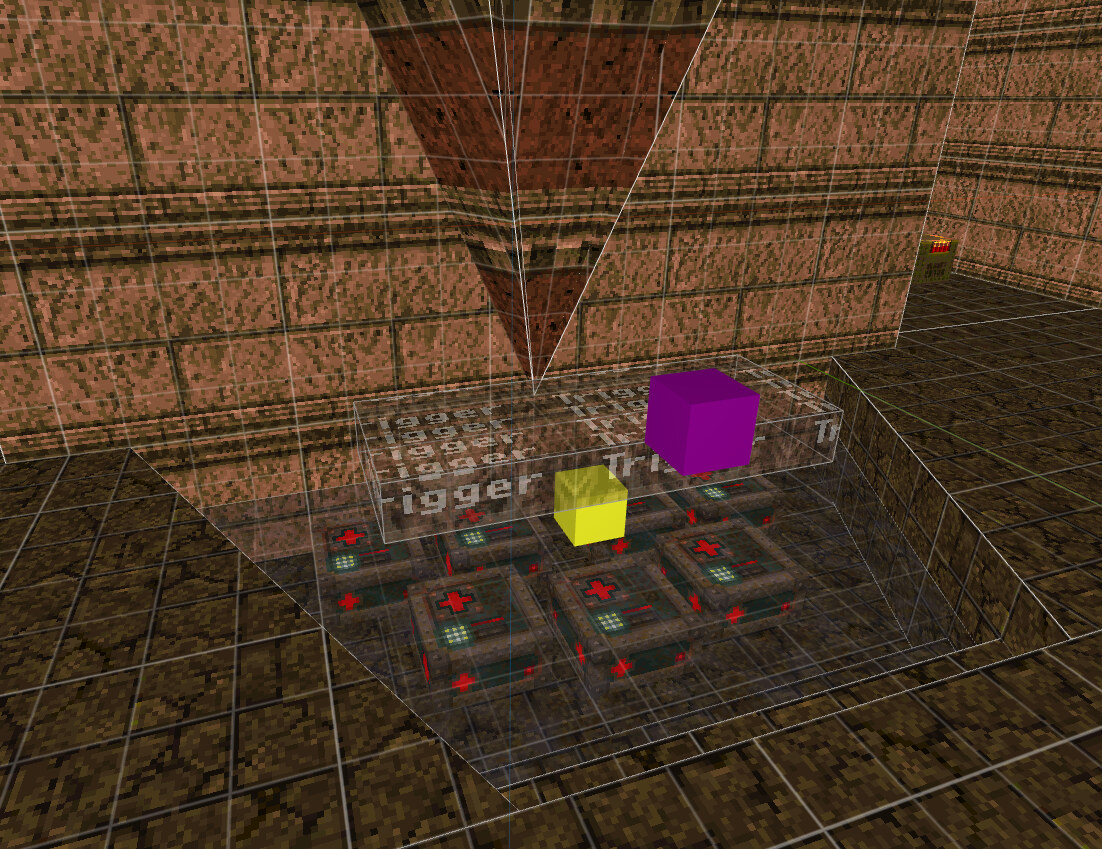
An invisible trigger that displays the message and plays an ambient sound completes the effect.
Here we have a familiar entity, but by making it invisible we can give it a new visual that gives the player a fresh experience. And most players are completely unaware the pool is only finite!
With an understanding of the entity system, let’s look at a few case studies from Quake that leverage all parts of the system to create memorable experiences.
Chthon, the boss, can be defeated by zapping him between two lightning rods.
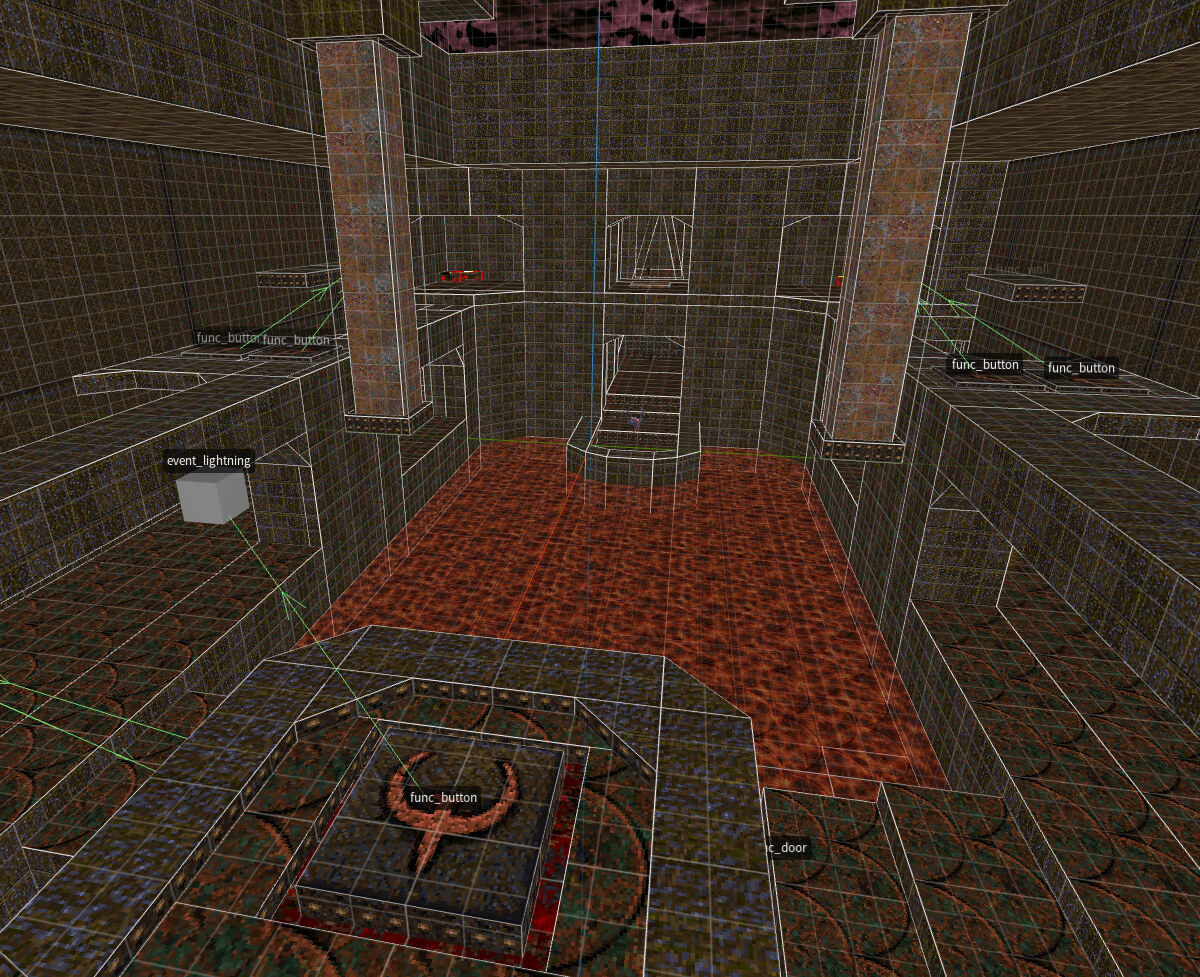
Each rod is tied to a nearby button, with a third button used to activate the lightning.
(Notice that there are actually four buttons, but only two are ever selected, depending on the difficulty level.) The lightning effect itself requires some in-game hard-coding to position itself, but otherwise is an example of the entity system creating new gameplay mechanics.
The player is locked in a room with the ceiling descending. Previously, they encountered similar rooms that could squash them. At the last second, the ceiling separates into two pieces, and the floor lifts the player up to the end of the level.
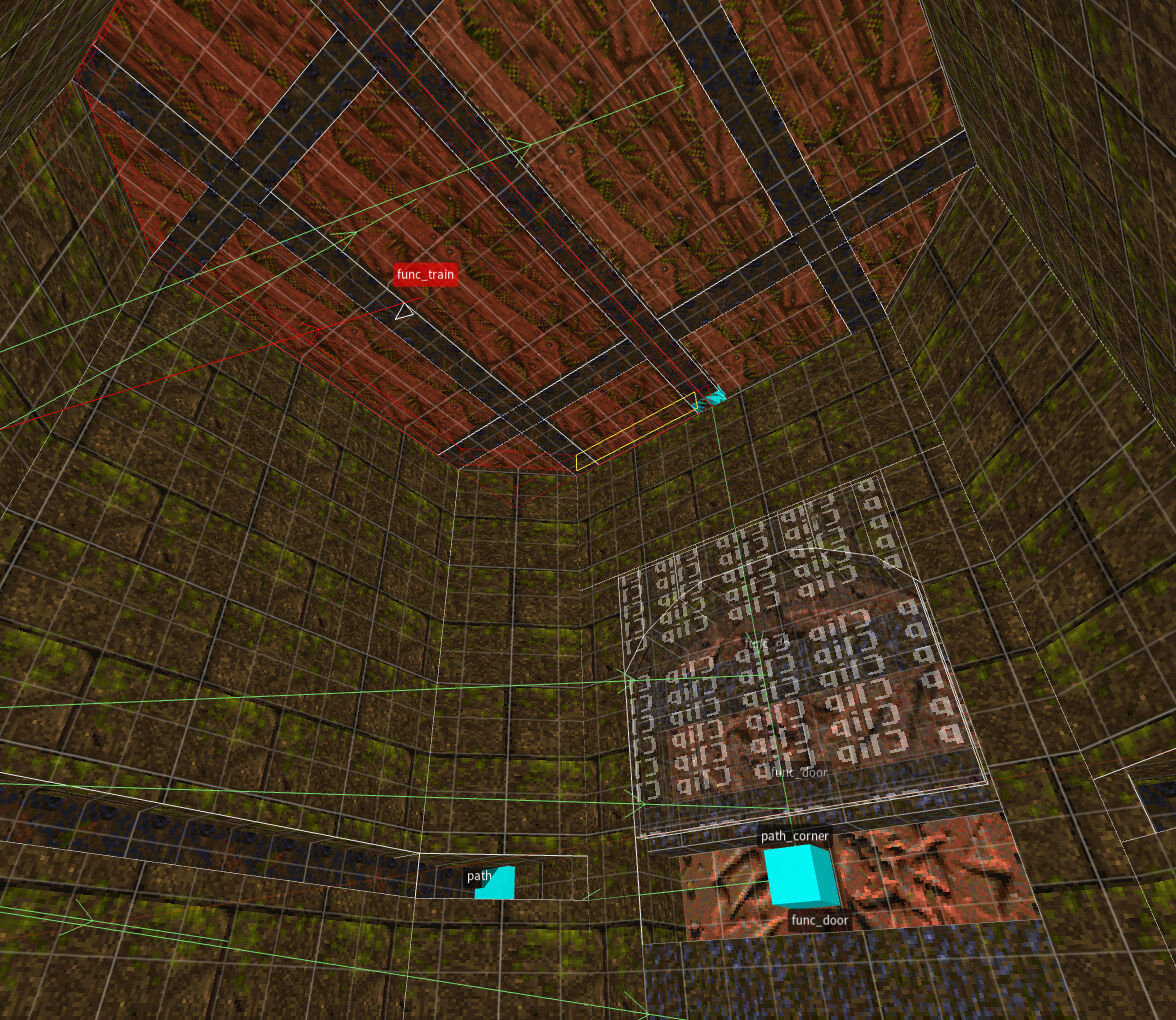
The ceiling is constructed from two separate func_train entities.
A path positioned at the corners of each entity guides it through the movement.
The floor is actually a func_door.
Its lifting motion is activated by a trigger_once timer
with a wait time designed to coincide with the train movement.
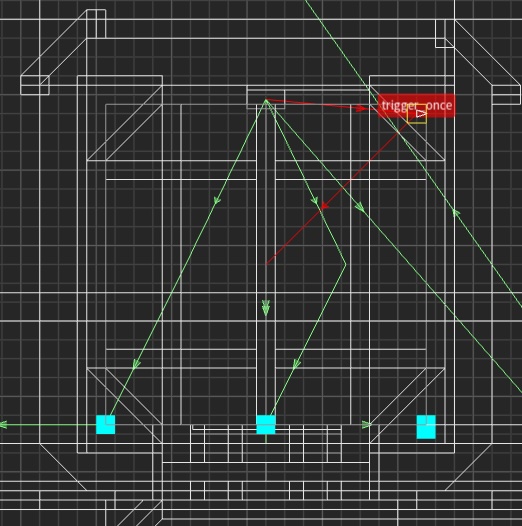
After Chthon is defeated, the level ends, and in the background, gibs rain down on the arena. This effect is built entirely with the entity system.
Completing the level activates a network of entities in an offscreen room.
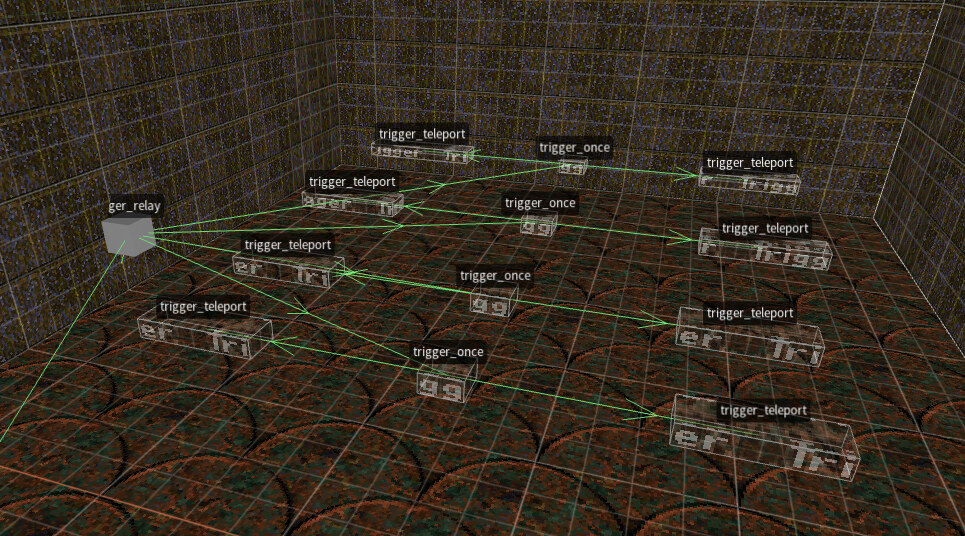
A sequence of timers starts counting down, wired to activate an accompanying set of teleporters. These continue to fire as the world simulation continues independently of the player’s existence.
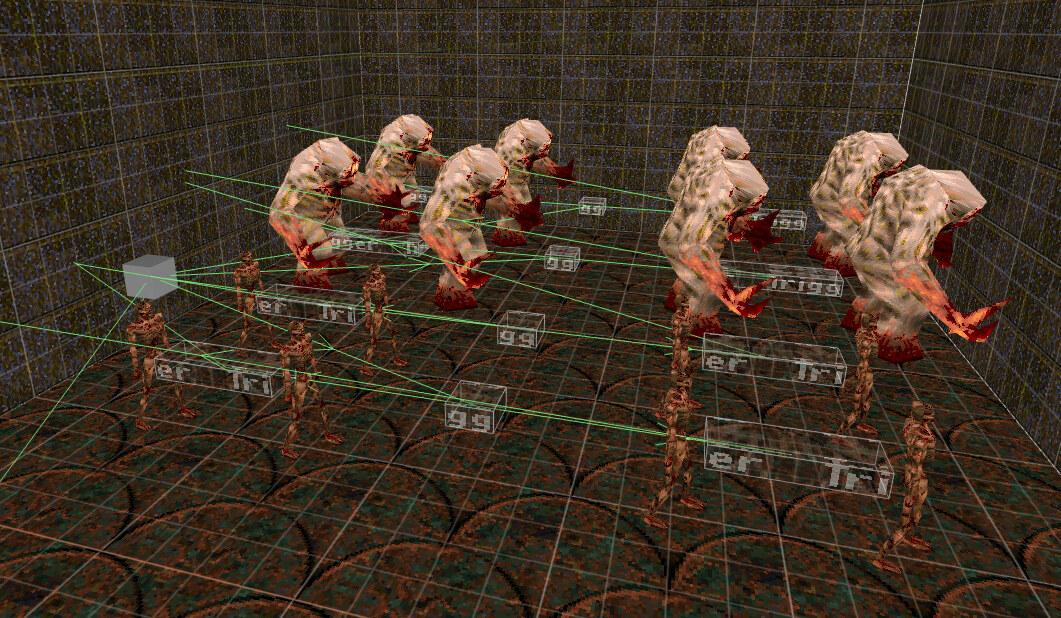
On top of each teleporter are two monsters that will be destroyed immediately after being transported. (Destruction is a consequence of two entities trying to teleport into the same place.)
This example represents a machine or program made with Quake.
It combines the logic of the targetname system with the physical consequences of the world simulation.
And this room exists entirely offscreen!
It’s literally a black box whose internal operation and 3D existence are incidental
to its function.
Every runtime entity is an instance of the same entity struct that contains every field needed for all classes. Here’s a snippet to give you an idea:
typedef struct
{
    float modelindex;
    vec3_t absmin;
    vec3_t absmax;
    float ltime;
    float lastruntime;
    float movetype;
    float solid;
    vec3_t origin;
    // ...
    string_t noise2;
    string_t noise3;
} entvars_t;
This pattern of unioning together all the fields needed by all cases is called a fat struct, as many of the fields may go unused.
This idea may conflict with what you learned in object-oriented programming, but it has a lot of design benefits. The entity array is allocated upfront and has a fixed cost of ~1000 entities. Compared to the size of 3D textures and sounds in a game, the unused space is tiny!
A game system, such as physics, can just visit the entire list of entities and perform the same operation for each entity. Entities opt into a behavior by configuring the relevant properties.
↩Windows conceives of a program as a complete application, including a user interface, menu bar, file-management options, etc. And if you’ve only used Windows, it’s hard to imagine an alternative.
UNIX programs try to do less, but not because they are less capable. The conventions and culture of UNIX have set different expectations, grounded in the compositional power of the shell.
↩The first tr puts each word on a new line.
The second replaces uppercase with lowercase.
sort orders all the words, and uniq removes duplicate adjacent words (with counts).
The last sort reorders the words based on this count.
Finally, head discards everything after the top few lines of input, with a default line count of 10.
Source is an evolution of the Quake entity system for more complex games.
It’s been greatly expanded with new entity types and features.
But almost all of the original Quake entities (func_button, func_train, trigger_once, etc.) are still present (see a full list)!
Below is an interactive keypad made by a Source community member that demonstrates how powerful the system is.
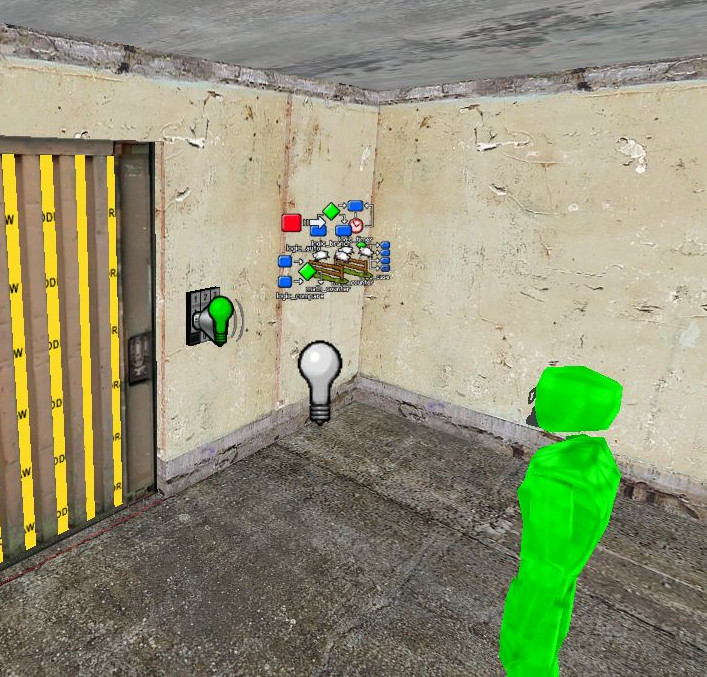
It includes visual and audio responses to any four-digit code. If the code is correct, it opens the door, plays an acceptance sound, and blinks a green light. Otherwise, it plays a rejection sound and blinks a red light.
There are 23 total entities in the system, including:
func_button: one for each button on the keypad, for a total of 11.func_detail: the 3D model of the keypad.prop_dynamic: the door model, which opens.func_door: the logical entity that controls the door’s motion.logic_case: stores the sequence of four expected numbers and the events for a successful code.logic_timer: resets the keypad entry after a period of inactivity.ambient_generic: plays the acceptance or rejection sounds.Below is a 64 × 64 × 64 cube in .map syntax:
{
    ( 64 64 64 ) ( 64 64 0 ) ( 64 0 64 ) mmetal1_2 0 0 0 1 1
    ( 0 0 0 ) ( 0 64 0 ) ( 0 0 64 ) mmetal1_2 0 0 0 1 1
    ( 64 64 64 ) ( 0 64 64 ) ( 64 64 0 ) mmetal1_2 0 0 0 1 1
    ( 0 0 0 ) ( 0 0 64 ) ( 64 0 0 ) mmetal1_2 0 0 0 1 1
    ( 64 64 0 ) ( 64 0 0 ) ( 0 64 0 ) mmetal1_2 0 0 0 1 1
    ( 0 0 64 ) ( 64 0 64 ) ( 0 64 64 ) mmetal1_2 0 0 0 1 1
}
To construct a 3D mesh from a brush, we need to intersect all the planes. This is done by examining each triplet of planes and forming a linear system of equations. The solution to this system (if a unique one exists) is the point where the planes intersect.
The intersection points form a vertex candidate list. Points that are behind any brush plane (outside the brush) can be removed, along with duplicates. On each plane, a collection of points remains that outlines a polygon. This polygon becomes the face of the mesh.